
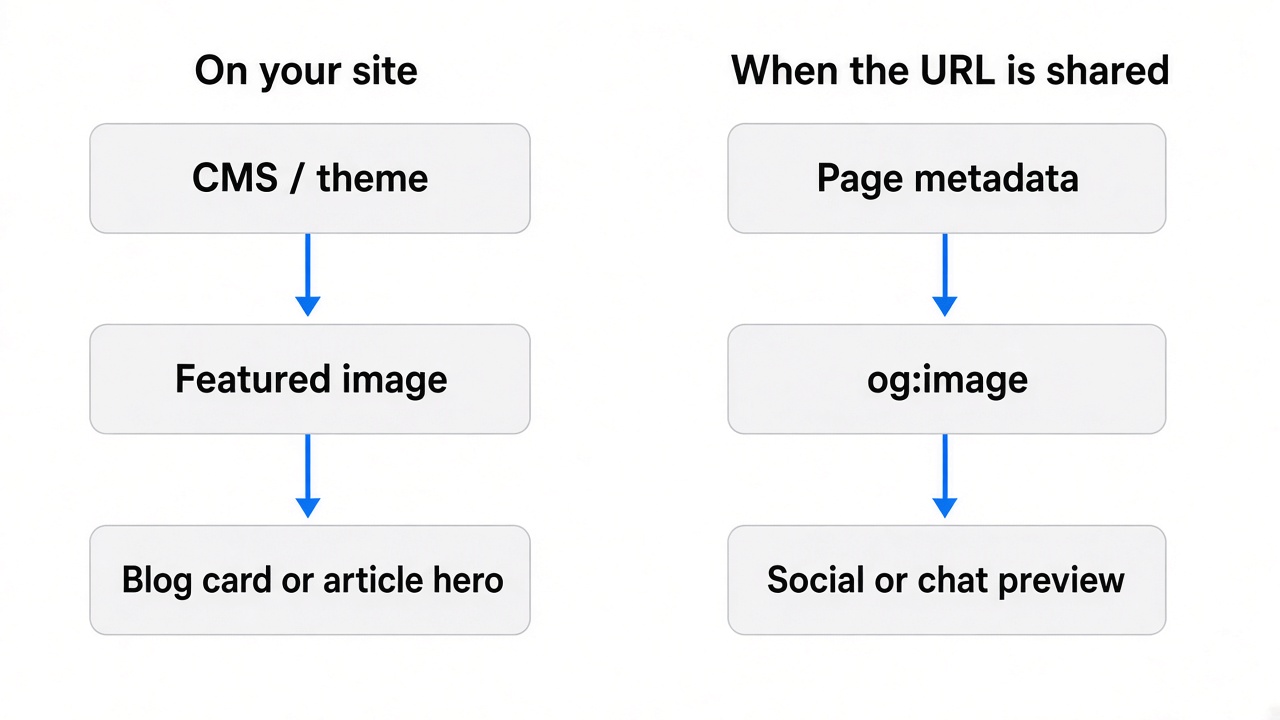
A featured image is mainly used inside your website or CMS. An Open Graph image is used when your page is shared on platforms that read Open Graph metadata. They can use the same image file, but they serve different display contexts.
| Featured image | Open Graph image | |
|---|---|---|
| Main purpose | On-site content presentation | External link preview |
| Controlled by | CMS, theme, or page layout | Open Graph metadata |
| Typical context | Blog cards, article hero, archives | Social and messaging previews |
| Can use the same file? | Yes | Yes |
| Must use the same file? | No | No |
| Common practical size | Often 1200 × 630 | Often 1200 × 630 |
| Metadata required | Depends on the CMS | og:image |
1200 × 630 is a common overlap, not a rule every theme follows.
What is a featured image?
A featured image (sometimes called a cover, hero, or post thumbnail) is the picture your CMS attaches to a post for your site. Themes use it on:
- Blog index and category cards
- The top of a single article
- Author or tag archives
- Newsletter or RSS thumbnails, depending on the stack
WordPress calls it the featured image. Ghost calls it the post feature image. Other systems use similar names. The important part is that the file is selected for on-site layout. Cropping, aspect ratio, and whether the title sits on the image are theme decisions.
For a practical default size many blogs use, see the blog featured image size guide. Confirm your theme if it crops differently.
What is an Open Graph image?
An Open Graph image is the file other apps load when someone shares your URL. The Open Graph protocol defines it with og:image. Chat apps, social networks, and some CMS preview panels read that tag and build a link card.
The image is not chosen by your homepage template. It is chosen by metadata. If og:image is missing, platforms may pick a random image from the page, or show no preview at all.
For dimensions and metadata fields, see the Open Graph image size guide.
Are featured images and Open Graph images the same?
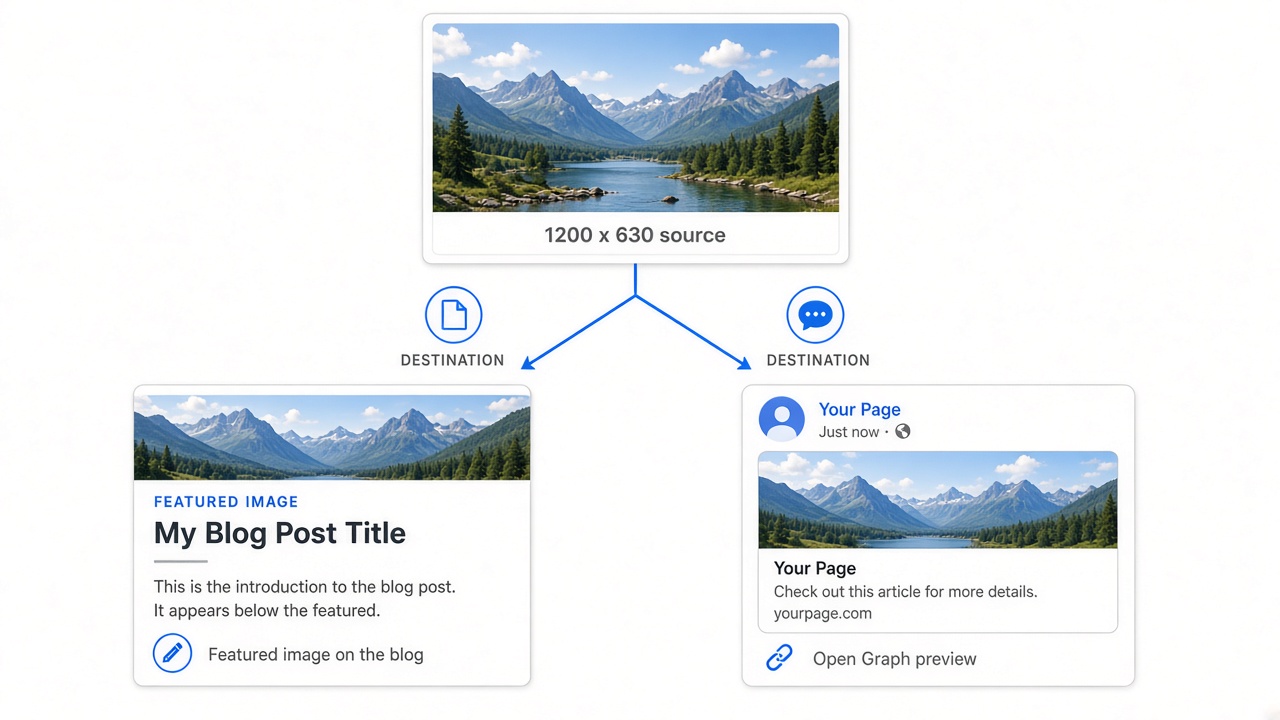
Not necessarily. They can point to the same URL. Their jobs are still different: one is for people browsing your site, the other is for people seeing your link somewhere else.
When the same image works
The post uses a 1200 × 630 cover, a short title, and safe margins. The theme does not crop the sides aggressively. That file can also be og:image.
When separate images are better
The article hero is a wide photograph with text near the edges. Link previews crop toward the center and hide the headline. Or the on-site image is decorative, while the shared card needs a stronger title. Then you export two versions.
Can I use one image for both?
Yes, often. It is the simpler publishing path when:
- Both slots use a similar landscape ratio
- The design stays readable on-site and in a small preview
- The CMS does not crop the featured image into a different shape
You produce one file, keep branding consistent, and skip a second export. Create a separate Open Graph version only when a preview actually fails: cropped type, a weak headline, or a hero crop that no longer matches the page.
When should you create separate versions?
Separate files help when:
- The site hero is much wider or taller than a link card
- Text sits near edges that previews clip
- The shared card needs a stronger headline than the article header
- The article uses photography while the share card needs a branded title
- The theme crops the featured image in a way social crawlers do not
Separate images are not automatically better. They are extra work. Use them when one file cannot do both jobs.
Does a featured image automatically become the Open Graph image?
Sometimes, depending on your CMS, theme, plugin, or framework. It is not guaranteed.
- WordPress SEO plugins often can map the featured image to
og:imageif you do not set a custom social image. That is plugin behavior, not core WordPress. - Ghost and similar tools may keep a Facebook/X card image separate from the feature image.
- A custom site or Next.js app usually needs explicit metadata. Setting a cover in the CMS does nothing until you output
og:image.
Check the live HTML. Do not assume the featured image is what Slack or LinkedIn will show.
A minimal tag looks like this:
<meta property="og:image" content="https://example.com/image.jpg" />
Useful extras, defined by the protocol as structured properties:
<meta property="og:image:width" content="1200" />
<meta property="og:image:height" content="630" />
<meta property="og:image:alt" content="Short description of the image" />
For the full create-and-attach path, see how to add an Open Graph image.
Why 1200×630 often works for both
1200 × 630 px (~1.91:1) matches common Open Graph preview guidance. Many blog themes also accept that landscape as a featured image or archive card.
That overlap is convenient. It is not universal. Some themes want 16:9, a square, or a taller hero. Some archive cards crop to a different ratio than the single-post header. Design at 1200 × 630 when you want one file to serve both, then preview the homepage and a shared URL.
Featured image vs Open Graph image in WordPress
In WordPress you set the featured image on the post. Open Graph tags usually come from the theme or an SEO plugin. The plugin may reuse the featured image, or it may let you upload a different social image.
After you publish, view source or use a sharing debugger and confirm og:image points at the file you expect. If the preview is wrong, the problem is often the plugin mapping, a cached card, or an old URL, not the featured image picker itself.
A simple publishing workflow
- Create a featured image for the post.
- Check how it looks on the article and on listing cards.
- Decide whether that visual still works as a link preview.
- Set or verify
og:image. - Preview the shared URL in a debugger or a private share.
- Export a separate Open Graph file only if the preview fails.
If you need a file at the common landscape size, start from the blog featured image format or the Open Graph format, depending on which context you are designing for first.
When one image is enough
One file is usually enough for a standard blog article, a SaaS changelog post, documentation, or a consistent editorial series: same ratio, readable type, no aggressive theme crop.
When two images are better
Use two files for a custom homepage hero, a heavily cropped article header, a campaign landing page, or a share card that needs a promotional line the on-site hero should not carry.
FAQ
Is a featured image the same as an Open Graph image?
No. They serve different contexts. They can still use the same file.
Can I use my featured image as og:image?
Yes, if it stays readable at link-preview size and your theme crop does not break the layout.
What size should an Open Graph image be?
Start at 1200 × 630 px. Details live in the Open Graph image size guide.
What size should a blog featured image be?
1200 × 630 px is a practical default for many themes. Confirm crops in the featured image dimensions guide.
Why does my social preview show the wrong image?
Common causes: og:image was never set, a plugin mapped a different file, the crawler cached an old card, or the URL in the tag is stale. Re-check metadata, then refresh the preview.