
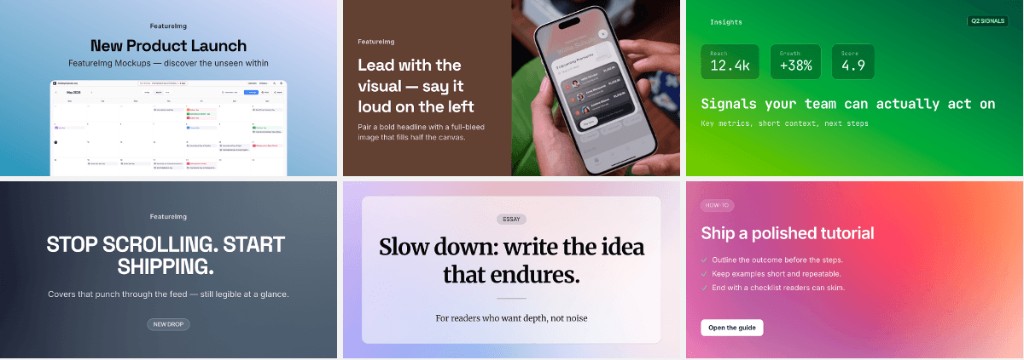
Looking for blog featured image ideas that fit real posts builders and creators publish? This guide lists practical cover directions, maps each idea to a post type, and shows how to test them quickly on the correct canvas in FeatureImg.
All ideas assume the blog featured export size: 1200 × 630 px on the Blog Featured Image format page.
Why ideas matter before you design
Archive pages force fast decisions. Readers scan thumbnails in seconds. An idea-first approach picks one visual promise per post: “tutorial”, “launch”, “essay”, or “takeaway”.
Ideas also reduce blank-canvas delay. You start from a template family instead of an empty artboard.
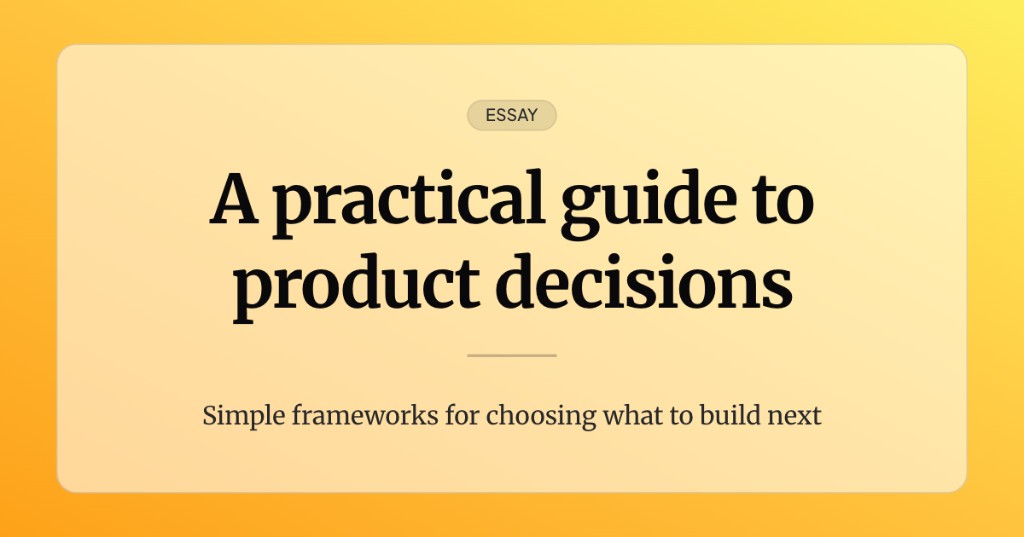
Idea: clean editorial cover
Fits: essays, explainers, research posts.
Look: calm background, one headline, light subtitle, plenty of margin.
Tip: limit to two text lines. Let whitespace signal quality.
Start from the clean editorial template in the blog featured editor.
Idea: tutorial card
Fits: how-to posts, workshops, technical walkthroughs.
Look: structured label plus title, slightly more “instructional” hierarchy.
Tip: use the subtitle for skill level or time (“Beginner”, “15 min read”).
The tutorial card template matches this rhythm.
Idea: product update visual
Fits: feature launches, changelog posts, beta announcements.
Look: short headline, optional badge line, confident contrast.
Tip: name the outcome in the title, not the internal codename.
Try the product update template when the post sells a change.
Idea: creator bold title
Fits: personal brands, opinion pieces, creator-led blogs.
Look: large title, minimal extras, strong color field.
Tip: personality comes from type scale and color, not extra badges.
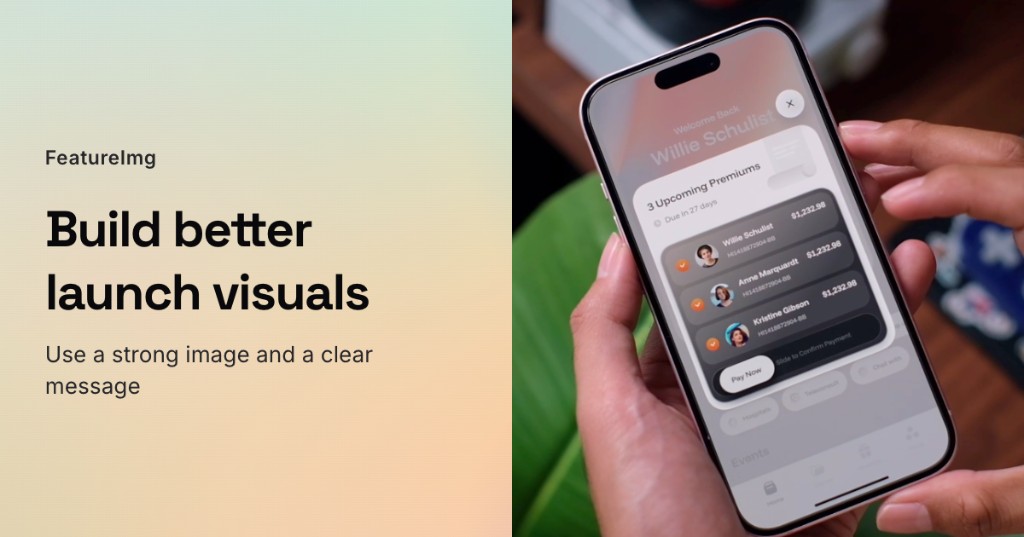
Idea: full image split
Fits: posts with a hero photo, UI screenshot, or event image.
Look: image zone plus text panel.
Tip: never place small type directly on busy screenshots.
Idea: gradient background with simple text
Fits: quick takes, newsletter-style posts, single-point updates.
Look: bold gradient or shape preset, one headline line.
Tip: check contrast at thumbnail size immediately.
Idea: minimal quote or takeaway
Fits: short posts with one insight.
Look: one sentence as the headline, subdued subtitle optional.
Tip: if the quote is long, shorten it for the cover; keep the full quote in the article.
Choose an idea by post type
| Post type | Starting idea |
|---|---|
| Tutorial | Tutorial card |
| Product launch | Product update visual |
| Essay | Clean editorial cover |
| Opinion / personal brand | Creator bold title |
| Photo-led story | Full image split |
| Quick insight | Gradient + simple text or minimal quote |
You can switch templates in the editor until the cover matches reader expectations for that category.
Mistakes to avoid
- Using the same busy layout for every post type
- Treating the cover as a second article (too much text)
- Ignoring size and safe areas
- Forgetting how the theme crops cards on mobile
- Skipping contrast checks on gradients and photos
Try ideas quickly in FeatureImg
- Open the Blog Featured Image format.
- Launch the editor preset.
- Pick a template that matches the idea table above.
- Swap backgrounds and copy until the thumbnail reads in one second.
- Export PNG and upload to your CMS.
For a full creation walkthrough, see how to create a blog featured image.
Build a recognizable archive
Pick one idea per post, stay within two or three families over time, and your blog grid will feel coherent. Readers learn what to expect, and you spend less time deciding layouts.
Start with the idea that matches today’s post, then refine copy and contrast on the preset canvas.